
Lost password or cell phone
Choose the right way: reset your password via email or have access to the authenticator app restored.
Before you start
- You know the email address of your existing account.
- To reset your password you need access to this email inbox.
BRIEFLY EXPLAINED
Forgot your password?
Request a link via email. Your authenticator is still required.
Lost cell phone or app access?
A new password does not replace the app code. Contact your designated person to have app access reset.
Step by step
- 01
If only the password is missing: Request a reset link
Open your workspace login page and click „Passwort vergessen?“. Enter your existing account email address and select „Reset-Link senden“.
For security reasons, the confirmation does not say whether an account exists at this address. It therefore does not prove that the address was correct or that the email was received.
compleneo oneScreen detail · 01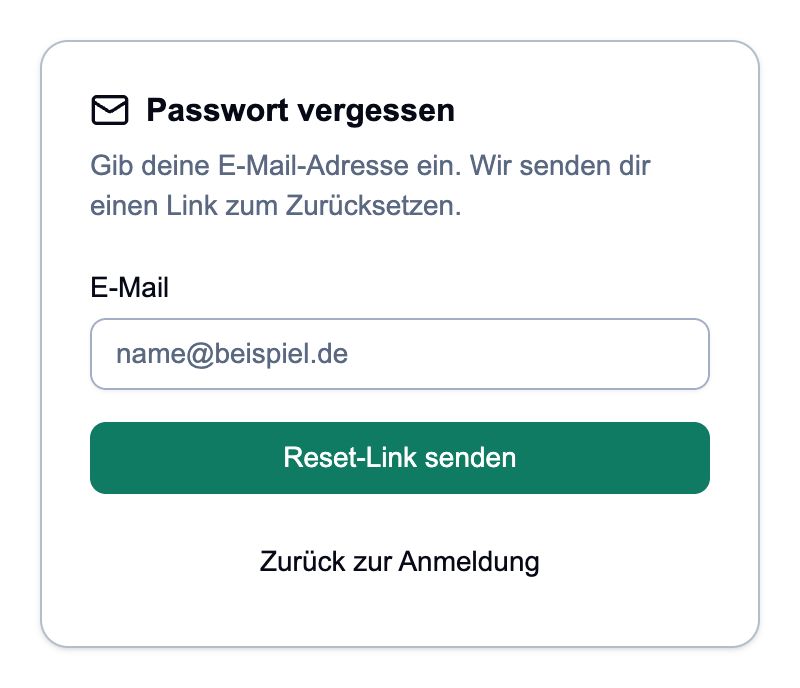
Enter your existing account address. No new account will be created. - 02
Open email and set a new password
Check your mailbox and spam folder. Open the reset link and enter your new password at „Neues Passwort“. It requires at least eight characters, uppercase and lowercase letters, a number and a special character. Repeat at „Passwort bestätigen“ and click „Passwort setzen“.
After confirmation you will be redirected to sign-in. Log in with the new password and your app code. Do not share the reset link.
compleneo oneScreen detail · 02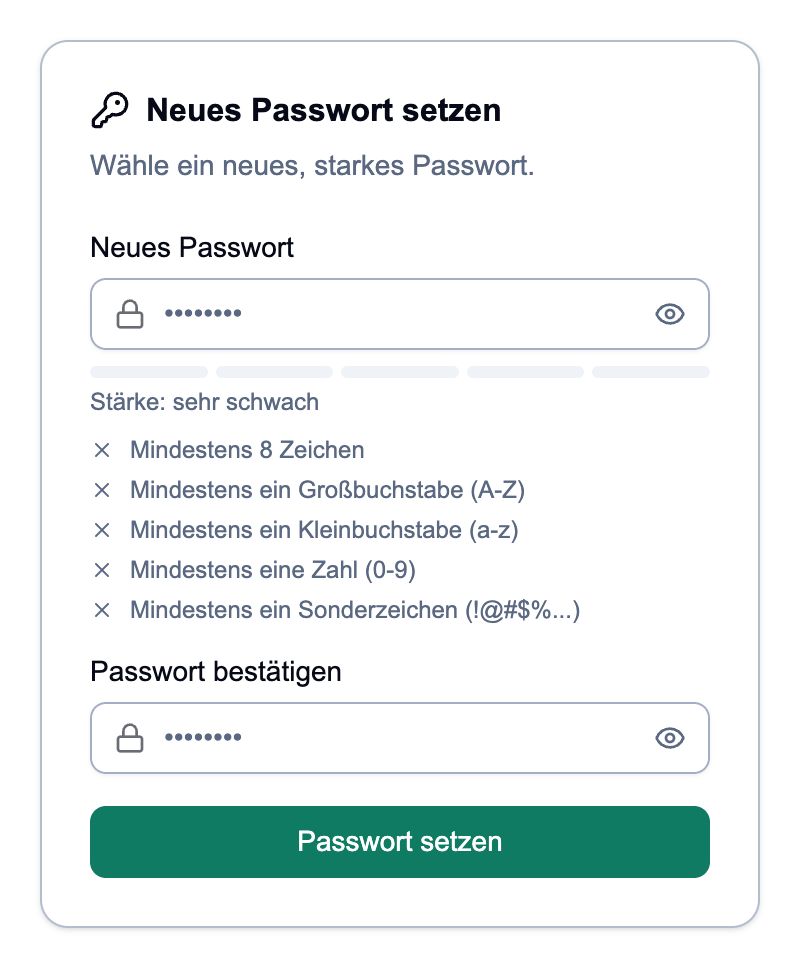
Use your own valid email link. The section only shows the input fields. - 03
If you don't have access to your cell phone or app: request help
Contact the person responsible for user access in the company. Provide your account email address and explain whether the phone was lost, changed, or the authenticator app was deleted. The responsible person can verify your identity and have your app access reset.
If you have already set up a passkey for this account and it is still available to you, you can use it to attempt to log in. A password reset alone does not resolve the lost app access.
- 04
After resetting, reconnect the app
Once you have received feedback from the person responsible, log in again. If a temporary password has been assigned, the system will first request a new personal password. „TOTP einrichten“ may then appear: This is the reconnection to your authenticator app.
In the app, open „Konto hinzufügen“, scan the newly displayed QR code and enter the current six-digit code on the page. Click „Bestätigen“. Use the newly created app entry for the next logins. Do not create a new user account for this.
Done
You can log in again with your existing account. A reset password and newly set up app access still belong to the same account.
Frequently asked questions
The reset email does not arrive.
Check the email address and spam folder. Wait a moment and request a new link if necessary. The neutral confirmation on the site does not confirm delivery. If you don't receive an email, ask your responsible person for help.
The link is invalid or expired.
Request a new link via „Passwort vergessen?“ and use the last requested email. Do not start a new registration.
I no longer have access to my email inbox.
The email reset only helps with access to the stored mailbox. Contact your responsible person at work to check and restore your access.
What can I pass on for help?
Provide your account email and the error message you are seeing. Never share your password, app codes, QR codes, setup keys or personal reset link. Also check screenshots before sharing.
Status: Oct 23, 2026